Wire harness design for avionics and defense · Beta
From EICD to harness drawing, in minutes.
Pick connectors and interfaces, or import the EICD you already have. Pinloom assigns the pins by rule, draws the harness, checks it and exports the wire list, BOM and EICD.
Free during the beta · No account · Runs in the browser
How it works
The step between the ICD and the CAD, done for you
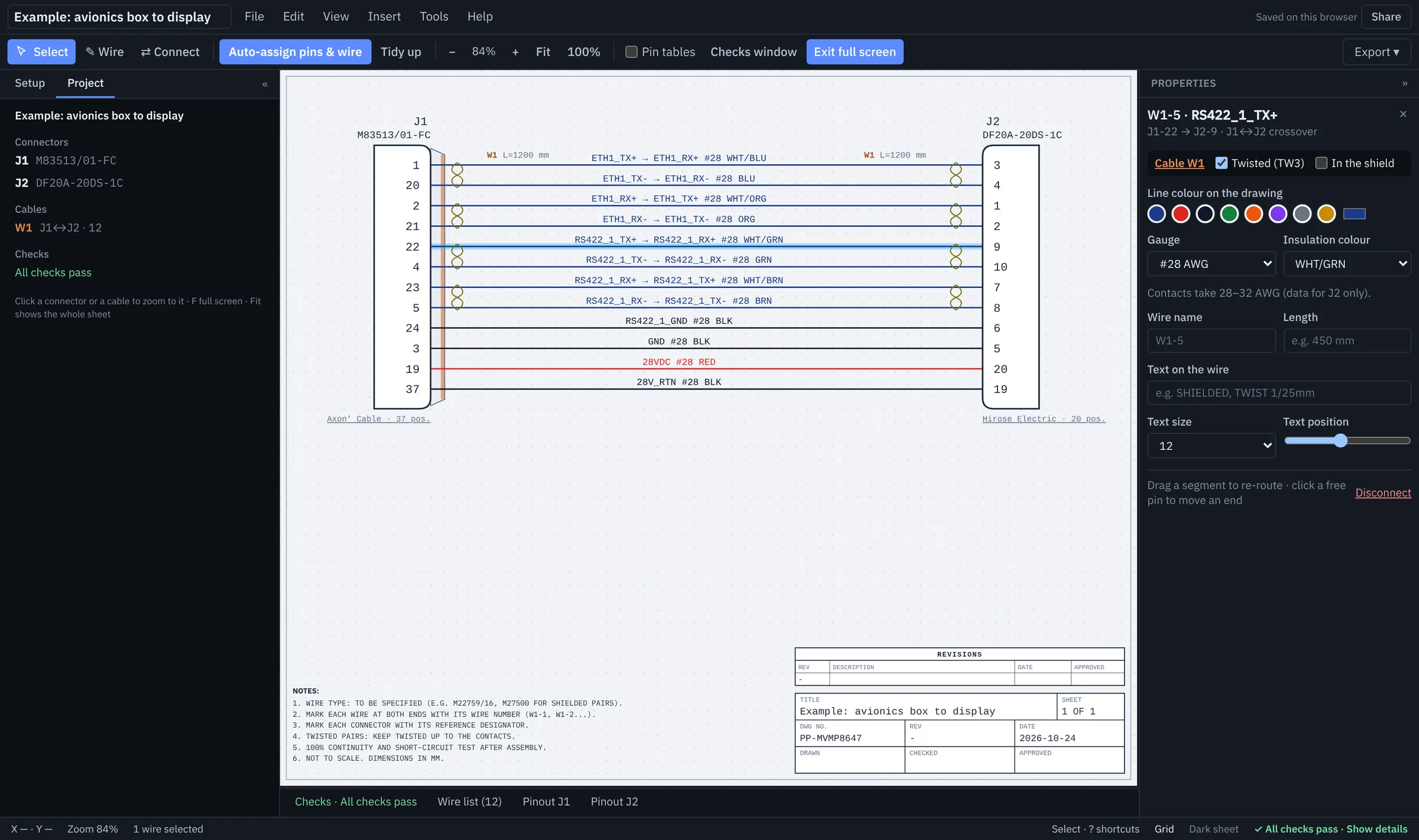
Bring the interfaces
Pick the connectors and tick what each one carries (RS-422, CAN, Ethernet, power, discretes), or import the EICD or From-To list you already have.
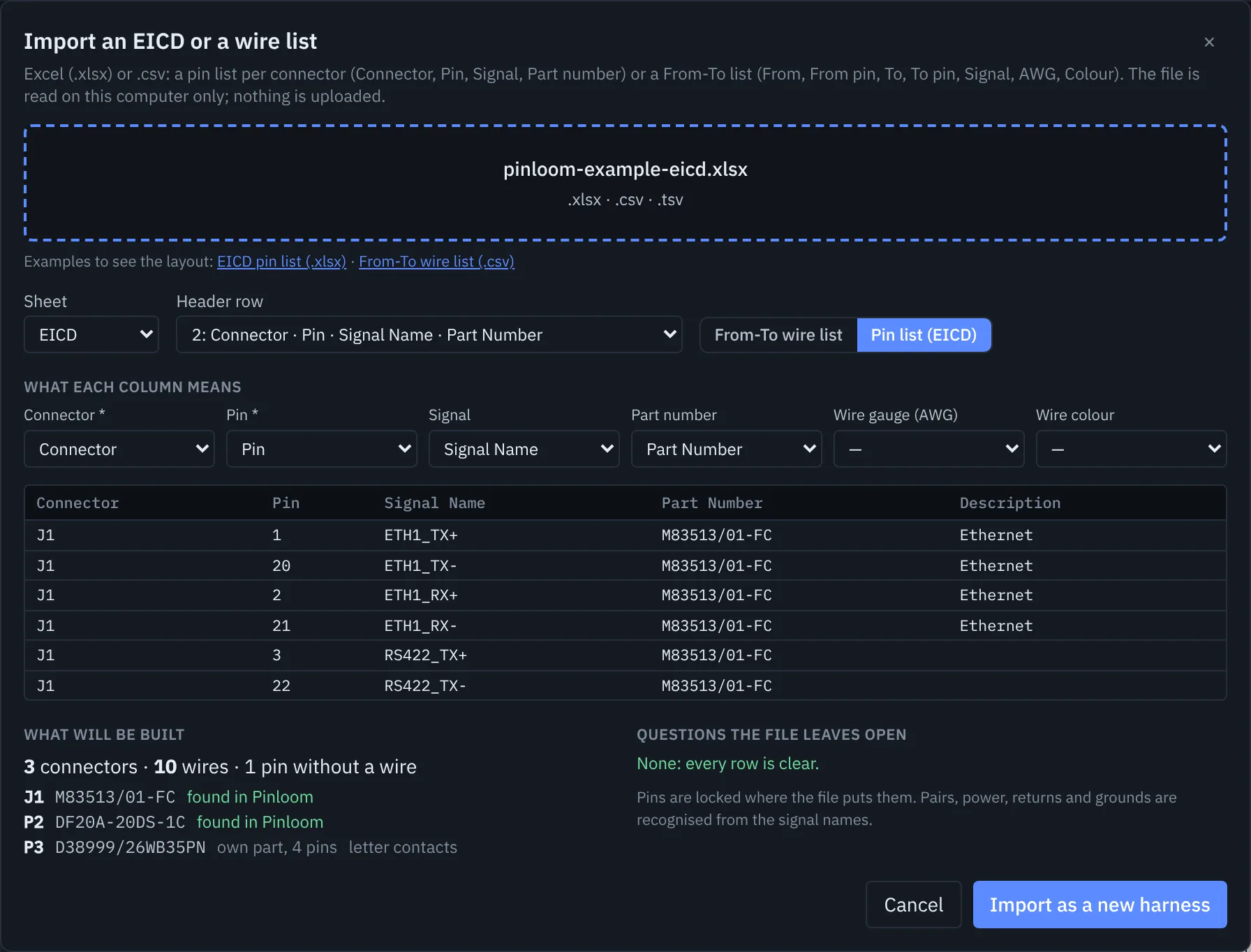
Pinloom lays out the pins
Pairs on neighbouring pins, power away from signals, returns next to their supply, TX crossed to RX between units, splices for buses. Every pin says why it is there.
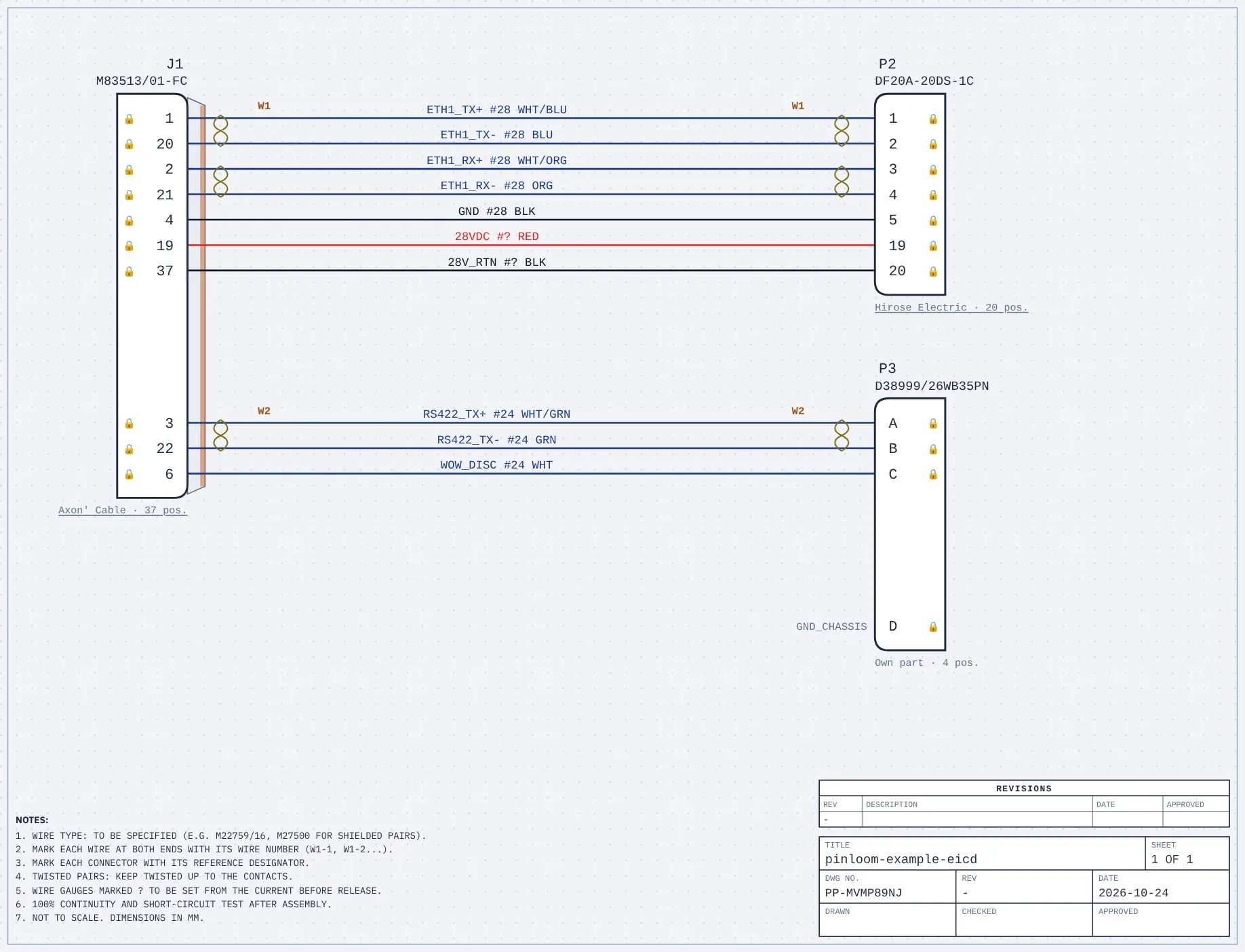
Check, then export
Checks before release, then the wire list, a BOM with the crimp contacts and tools, the EICD per connector and the drawing as a one-page PDF.
What an engineer expects from a harness tool
Automatic pinout by rule
Not a blank canvas: tell it the interfaces, it places every pin and draws the wires. Lock what you decide; the rest follows the rules.
Pairs, shields, splices
Twisted pairs, overall shields finished 360° on the backshell, crossovers between units and splices for buses and power, drawn as on a real harness drawing.
Checks before release
Pair adjacency, voltages next to signals, gauges against the contacts, shields with no end, gauges still to choose. A checklist for manufacturing.
Wire list, BOM, EICD
Excel files the shop can use: wire list with cables and lengths, BOM with contacts and crimp tools, the EICD with one sheet per connector.
Stays on your computer
No account, no install, no upload: projects and imported files stay in your browser. Built for teams that cannot send their data anywhere.
Connector data with a source
Mates, crimp contacts and tools, each linked to the manufacturer's document and page. Parts that are not in Pinloom yet: describe them in a minute.
Connector data
Every answer shows where it came from
Type a connector part number: its mate, crimp contacts and crimp tools, each from the manufacturer's catalog with the page. Pinloom never fills a gap with a guess.
No part number yet? Find a connector by specs
- Verified (2 sources)
- The manufacturer states it, and a second, independent source agrees.
- Stated by manufacturer
- Printed by the manufacturer in a table, a statement or a product page.
- Same series & size · check datasheet
- Same series and size in the catalog, with no table pairing these exact numbers. Check the datasheet.
Draw your next harness with Pinloom
Open the example, or bring your own EICD. The beta is free; tell us what is missing.